
Signing Spock
New member
- full disclosures I’m a Jeep guy first, Chevy second

- my dad’s first project when I was 5 was a ‘66 C10 stepside that he painted candy apple red. So the lock screen is that and my ‘23 (ish…as good as AI can do).
The write up:
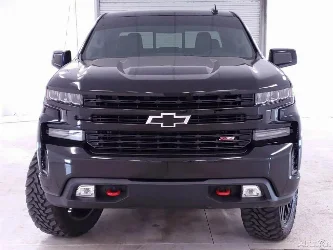
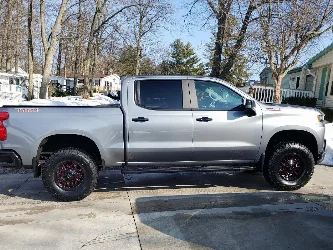
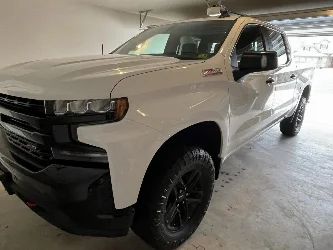
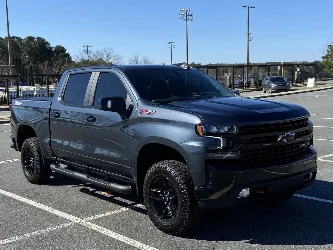
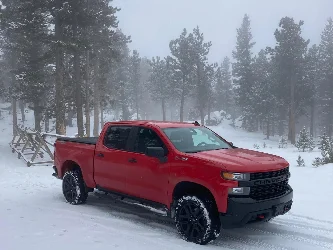
I wanted a larger screen in my 2023 Silverado Custom Trail Boss without replacing or screwing with the factory radio, backup camera, or truck controls. I had an 8th-generation 10.2” iPad, so I decided to basically turn it into a second infotainment screen.
This is meant to be a super simple walkthrough for anyone wanting to copy the setup.
What I used
- iPad 8th Gen, 10.2” — Wi-Fi only
- Dash-mounted iPad bracket (Off of ETSY)
- Dual XGPS150A Bluetooth GPS receiver (Off of eBay)
- iPhone with Personal Hotspot
- Factory Silverado Bluetooth
- Waze (app, you can use whichever you prefer)
- Google Maps (we use it for research)
- Apple Music (use your preferred music source)
- Apple Shortcuts (automates things, you can use your android options too)
The Wi-Fi-only iPad doesn’t have its own GPS receiver. The XGPS150A gives the iPad actual GPS location over Bluetooth. My iPhone hotspot provides the internet connection for traffic, streaming music, etc.
How everything connects
XGPS150A → Bluetooth → iPad = GPS
iPhone → Personal Hotspot → iPad = Internet
iPad → Bluetooth → Silverado = Music audio
iPhone → Bluetooth → Silverado = Phone calls
The factory Silverado system stays completely intact and still handles the truck’s normal functions.
Navigation + Music at the same time (sorta, the navigation comes over the tablet but the music over the truck pauses).
Open Waze, swipe up slightly from the bottom to reveal the iPad “Dock,” then drag Apple Music from the Dock to the right side of the screen.
Now I have:
Waze | Apple Music - running in Split View.
I give Waze 1/2 of the screen and Music the other 1/2 but I can swipe it to be 2/3 and 1/3 or vice versa if I’d like. Even better, the iPad remembers the arrangement after I put it to sleep and wake it back up. Pic below:
Making Unlocking Easy
The 8th-gen iPad doesn’t have Face ID, but it does have Touch ID in the Home button.
I enabled:
Settings → Accessibility → Home Button → Rest Finger to Open
So instead of entering a passcode every time I get in the truck, I wake the screen and touch the Home button with my registered finger.
Automatic “Truck Mode”
In the “Shortcuts” app → Automation, I’m using the Silverado’s Bluetooth connection as the trigger.
When:
iPad connects to Silverado Bluetooth
Automatically:
Do Not Disturb ON → brightness adjusts → volume adjusts → Waze opens
I set the automation to Run Immediately so I don’t have to approve it every time.
All of that is adjustable by you so you can choose the brightness, volume, which app to open, etc.
Originally I used the XGPS150A Bluetooth connection as the trigger, but using the truck itself makes more sense, since the Silverado connecting means the truck is actually on.
What happens when I shut the truck off? This is the one part I haven’t completely automated.
Shortcuts lets me trigger an automation when Bluetooth connects, but my iPad doesn’t offer a Bluetooth disconnected trigger.
My Silverado’s USB also stays powered when the truck is off, so I can’t use loss of charging power as the shutdown trigger.
For now:
Truck off → press iPad power button → iPad sleeps.
I don’t actually shut the iPad completely down. Sleep works better because it preserves my Waze/Apple Music Split View.
End result
I basically ended up with a 10.2” navigation/media screen without modifying the factory electronics.
The factory Silverado system still handles the backup camera and truck functions, while the iPad gives me a much larger Waze/Google Maps display and Apple Music controls.
You’re probably asking “but your backup camera is covered by that tablet?” Yeah, that’s my 1st World Problem to deal with. I’ll just take the tablet down and put it under my fold down bench seat
 if I get too annoyed by that then I can just trash my mount and go back to Apple CarPlay, only being out a $50 mount.
And because this was put together around an old iPad I already had, it was considerably cheaper and less invasive than replacing the factory infotainment system. I’ve got $125 in this, including the cables.
Side note:
If anyone has figured out a reliable way to make an iPad automatically sleep/lock when a specific Bluetooth device disconnects, that’s the last piece I’m trying to solve.
I’ll get better daytime pics tomorrow!
**DISCLAIMER**
I used ChatGPT to do all of this. I am not super tech savvy, but I can follow instructions. If you know of a better way to do this, please comment! I’m open to trying new stuff with this set up!